I’ve been working on a game project as of late. Here’s a little background. I recently discovered that you can swap out the physics engine in the game engine Godot. The built-in physics engine isn’t great, so I did a little bit of research. One of the easier engines to swap in is called Jolt. It’s free, and it was designed for VR so you know it’s good. After playing around with Godot and the Jolt engine for a bit, I had a idea for a small game. It’s not a strictly original idea, but it’s an idea nonetheless. My goal is to create a small online PVP game for some friends and I to play during some of the off hours of the day. Something unranked, low stakes, and almost luck based. For this, I thought of King of the Hill. It would be simple: place a small platform down, spawn some physics based players, let them smack each other around. I’ve given this project the working title “Rush” because your goal is to rush each other.
To start out, I needed to learn Godot’s scripting language GDScript, which is still an ongoing hobby of mine. It’s a pretty simple language, and it’s not too dissimilar to Python. That being said, it does have its quirks. For example, I wanted to use a switch statement for something, but in GDScript it’s called match. It hadn’t occurred to me that they would name it something else, so I thought this type of statement simply didn’t exist within GDScript. I only figured this out after looking into how I might create a macro for it.
Any Godot game you might play is built using their custom architecture called nodes. These are essentially objects (in the programming sense). The default nodes that Godot comes with are things like the player, a cube, the floor, a camera, and so on. These all inherit basic nodes like Node, Node2D, and Node3D. As far as I can tell, the only difference between the base Node and the dimensional ones is that the dimensional nodes have in-game coordinates. When I started out, I used the default player node. After getting some basic movement going, I quickly learned that this wouldn’t work for the project and that I would have to make my own custom player node. The default player node exposes a function called move_and_slide(). As it turns out, this function does not respect the physics engine in the slightest. This goes directly against my goal of making the players be physics based. In the end, it meant that I needed to inherit the RigidBody node rather than the player node. Down the line, this complicated things.
To get the network part of the game working, I opted to use a plugin called Netfox. I chose it over the base multiplayer nodes because it includes a feature called network rollback. The basic premise of network rollback is that when you recieve a network update, it will include a history of the other player’s input. On the client side, we still use basic interpolation to smooth out other players. Once we recieve a new update, we can use the input history to accurately replicate their current state on our end. Of course, using this system meant completely redesigning the player controller.
Even before reading the Netfox documentation (which essentially recommends this exact approach), I knew I wanted to implement the player as a state machine. Doing so makes it much easier to synchronize specific aspects of the player, such as animations, while also maintaining a clear and predictable execution flow.
I settled on six core player states:
IDLE - The player is not moving.
WALK - The player is walking in any direction.
RUN - The player is running in any direction.
JUMP - The player has initiated a jump while touching the ground.
FALL - The player is not touching the ground.
TIPPED - The player has fallen over.
In the JUMP, FALL, and TIPPED states, parts of the player’s input are disabled, such as movement. This is more of a gameplay decision than a basic controller decision. It forces the consequences of certain actions to play out. For example, when you jump in real life, you’re not really able to change your position in mid air. On top of that, it just feels right; like your brain already expects to lose control in those states.
Now that the player controller was mostly ready, all that was left was to attach a Netfox rollback network node to the new player object.
Godot’s default physics engine is non-deterministic. This essentially means that if you give it the same parameters twice, it can produce different results each time. What I learned is that because of this, Netfox’s rollback system is not designed to work with RigidBodies, since their state cannot be reliably reproduced. Instead, the rollback system is primarily intended to work with the default player node, which does not rely on the physics engine. Thankfully, Netfox nodes do support synchronizing RigidBodies (just not rollback), as well as interpolating their position, so it wasn’t a complete loss. Even so, I once again had to make major tweaks to the player controller to accomidate for this shortsight.
Once I had this very simple demo setup, I got a suggestion from a friend. Up until this point, the floor had been a single medium-large tile. His suggestion was to instead, subdivide the floor into several tiles which can all be made to fall into the void. Oon paper this should be easy to setup, and it introduces a small amount of originality into the mix. I started by creating a basic tile node, made it’s default state frozen, and gave it two hitboxes. One hitbox just above for object to it’s unfreezing, and the basic collision hitbox. I then created a small platform script which just populates the scene with N x M tiles. When a tile is hit, say by a ball, the tile is unfrozen and dropped into the void reducing the play area.
The first issue I had with the platfrom was that the player’s movement would hiccup on the seam between two tiles, even if they were perfectly flush. This was probably due to some type of floating-point error; either way, it was annoying. To solve it, I edited the platform script so that it would generate a single combined hitbox/mesh in the size and shape of the tiles. Each time a tile was unfrozen, the mesh would update to remove that section. Now the movement across the platform was smooth.
After getting the feel of the floor right, I tested it over a networked connection. Each of these tiles needed to be network-synced, and because they are physics-based, there is no way to use the rollback node on them. This meant sending the X, Y, and Z coordinates of every tile (which is a lot, since it’s an N × M grid) over the network every update. Even with just two players connected locally, this performed very poorly. I quickly had an idea for how to solve this. I was already creating an invisible hitbox for all the tiles and updating it when a tile was removed, so why not just render that instead and spawn a tile only when a chunk is hit? I implemented this concept immediately, and from the player’s perspective, it’s seamless.
All that was left was to create a proper user interface. What I ended up with isn’t anything special, and is mostly composed of assets from Kenney, but it works.
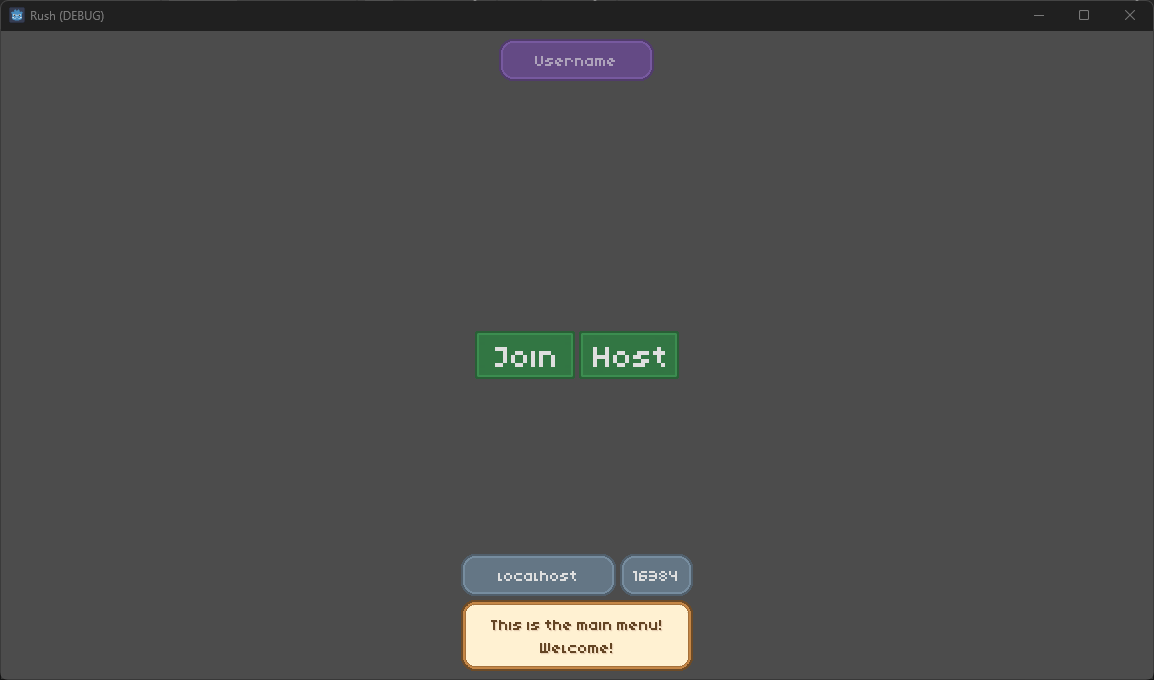
This menu may be pretty barebones, but it allows you to set your in-game username and direct connect to a host. When you click on the join or host button, you are redirected to the lobby scene where only the host can start the game.
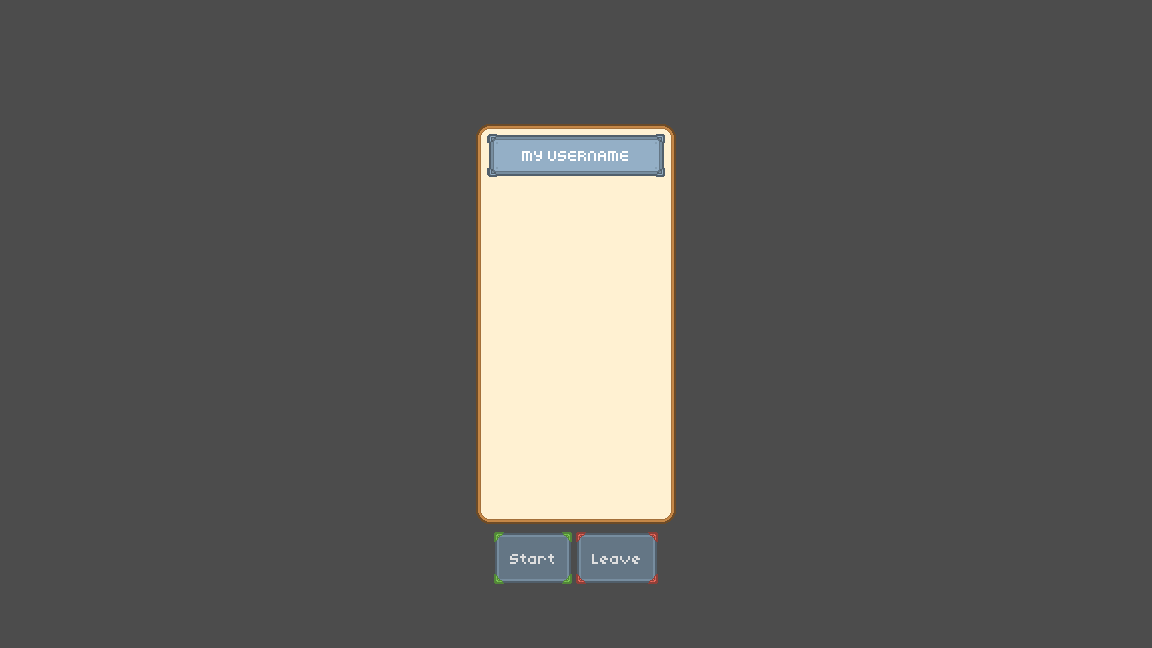
If you are the host, clicking the start button sends an RPC singal to all of the connected clients to switch to the platform scene.
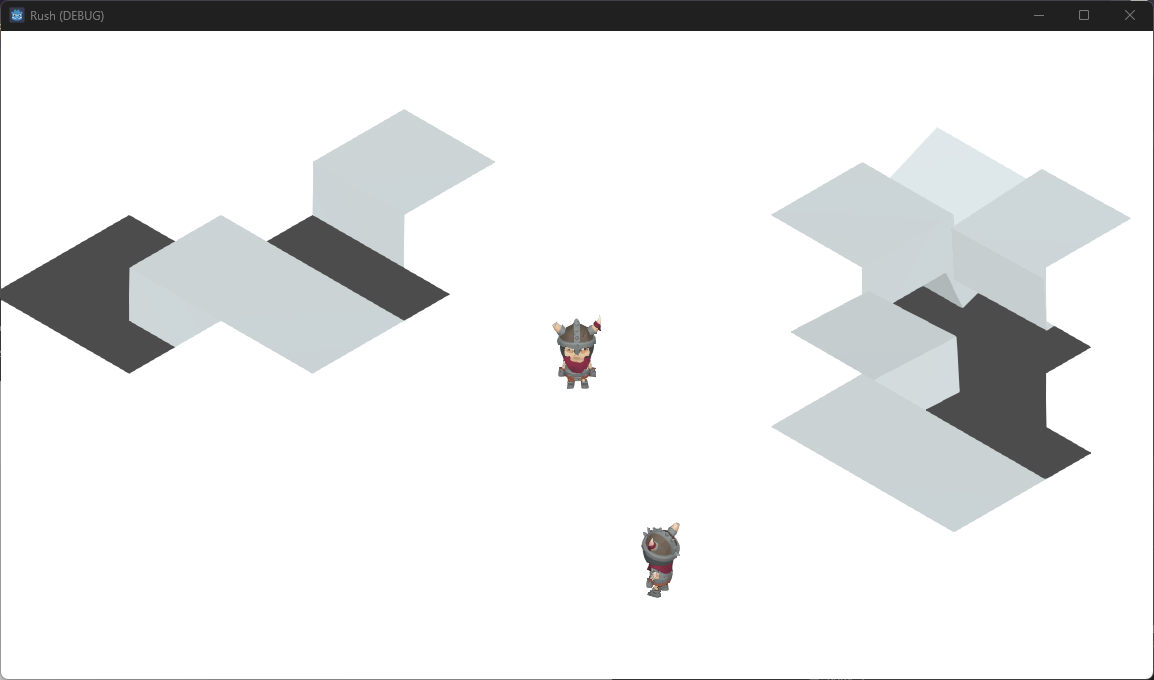
Once in the scene, you can try to knock each other off.
In closing, there are several things left to do should I be tempted to continue working on this project. In the short term, I would like to add items that the player can use. As of right now, the player can summon a physics based ball object that destroys the ground. I would prefer if this mechanic were attached to an item, like a blunderbuss for the player to hold. I would also like to add additional game modes to select from. This would include a default King of the Hill game mode, as well as this Break the Ice game mode. Overall, pretty fun to create something like this.
If you would like to try it out, you can download it here.